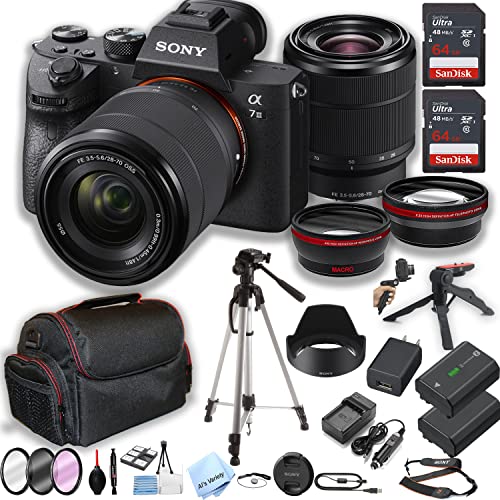
Light, lenses, and a sensor – that’s how a camera works in its most basic form. It captures light from a scene and turns it into a picture you can keep.
You point it at something and press a button. A picture appears on the screen. It seems like magic, but it’s really just clever science.
I’ve used cameras for years, from simple phones to big DSLRs. The core idea is always the same. They all follow the same basic steps to make an image.
This guide will break it down for you. We’ll go step by step, using simple words. You’ll understand how a camera works by the end.
The Simple Core Idea of a Camera
Think of a camera as a light-catching box. Its main job is to control light. Too much light makes a white, washed-out picture.
Too little light makes a dark, muddy picture. A camera works by finding the right balance. It lets in just the right amount of light for a short time.
This process is called exposure. It’s the heart of photography. Every setting on your camera changes how light gets in.
Old cameras used film to catch the light. Modern ones use a digital sensor. The goal is the same: record the pattern of light you see.
So, how does a camera work to control this light? It uses three main parts working together. We’ll look at each one next.
Understanding this is the first step. It’s not as hard as it seems. I promise it will make sense soon.
Step One: Light Enters Through the Lens
Everything starts with light bouncing off your subject. This light travels in straight lines. The first part of how a camera works is gathering this light.
The lens is like the camera’s eye. It’s a piece of curved glass. Its job is to collect all those light rays and focus them.
It bends the light to meet at a single point. This creates a sharp image inside the camera. A blurry lens means a blurry picture.
Lenses can zoom in or out. They change how much of the scene you see. A wide lens shows a big area, like a landscape.
A telephoto lens zooms in close on far-away things. The Khan Academy explains optics well. They show how lenses bend light paths.
This focused light is now ready for the next step. The lens directs it onto the sensor. That’s the key to how a camera works.
Step Two: The Aperture Controls the Light Flow
The light goes through the lens. Next, it hits a door called the aperture. This is a crucial part of how a camera works.
The aperture is a hole made of overlapping blades. It can get bigger or smaller. Think of it like the pupil in your own eye.
In bright sun, your pupil gets small. In a dark room, it opens wide. The aperture does the same thing for the camera.
A big aperture (a wide open hole) lets in lots of light. This is good for dark places. A small aperture (a tiny hole) lets in less light.
This control is measured in f-stops, like f/2.8 or f/16. A small number means a big hole. A big number means a small hole.
This step shows how a camera works to manage brightness. It’s the first level of control over your final image.
Step Three: The Shutter Decides the Timing
After the aperture, light hits the shutter. This is a curtain in front of the sensor. It stays closed until you take a picture.
When you press the button, the shutter opens. It lets light hit the sensor for a set time. Then it slams shut again.
This time is called the shutter speed. It can be very fast or very slow. A fast speed, like 1/1000th of a second, freezes action.
A slow speed, like one full second, lets in more light. It can make moving things look blurry. This is how a camera works to show motion.
Together, the aperture and shutter control the exposure. They are like a faucet and a timer for light. The aperture is how wide the faucet opens.
The shutter speed is how long you leave it on. This partnership is central to how a camera works. Get this right, and your photo will have good light.
Step Four: The Sensor Captures the Image
The light finally reaches the back of the camera. Here, it hits the digital sensor. This is where the magic of how a camera works becomes permanent.
The sensor is covered in millions of tiny light wells. These are called photosites. Each one is like a tiny bucket that catches light.
More light makes a brighter signal. Less light makes a darker signal. The sensor reads how much light hit each photosite.
It turns this light information into electrical signals. These signals are just numbers. The NASA website talks about CCD sensors used in space. The idea is similar to your phone camera.
This grid of light and dark signals forms a basic image. But it’s not a color picture yet. It’s just a map of brightness.
Step Five: Making a Color Picture
The sensor sees only brightness, not color. So how does a camera work to make a color photo? It uses a clever filter.
A Color Filter Array (CFA) sits on top of the sensor. The most common type is called a Bayer filter. It has a pattern of red, green, and blue squares.
Each photosite gets one colored filter. So one site only sees red light. Its neighbor might only see green light.
The camera’s computer looks at this pattern. It guesses the full color for each pixel. This process is called demosaicing.
It mixes the red, green, and blue info from nearby sites. Our eyes mix red, green, and blue to see all colors. The camera mimics this.
This step is key to how a camera works digitally. It turns raw data into the colorful images we love. It happens in a blink.
Step Six: The Processor and Memory
Now we have color data for millions of pixels. The camera’s brain, the processor, takes over. This is the final stage of how a camera works.
The processor applies settings you chose. It adjusts sharpness, contrast, and color. It also compresses the file to save space.
You can save the image as a JPEG or a RAW file. A JPEG is a finished, compressed picture. A RAW file keeps all the original sensor data.
The processed image gets written to a memory card. This is your camera’s storage. It’s like saving a document on a computer.
The Library of Congress discusses digital preservation. They explain how file formats matter for keeping pictures safe long-term.
And that’s it. You have a photo. The whole process shows how a camera works from start to finish.
How Different Cameras Work
All cameras follow the same basic steps. But they do it in different ways. Let’s see how a camera works in your phone versus a big DSLR.
Your smartphone camera is a tiny computer. It has a fixed lens and a small sensor. Software does a lot of the heavy lifting.
It uses computational photography. This means it takes many pictures fast. Then it blends them for the best result.
A DSLR or mirrorless camera gives you more control. You can change lenses for different looks. The sensor is much bigger, which helps in low light.
These cameras let you set the aperture, shutter speed, and more. You decide exactly how a camera works for each shot. It’s like driving a manual car versus an automatic.
Instant cameras, like Polaroids, are fun too. They have the same light path. But they develop the photo chemically inside the camera itself.
So, how a camera works can vary. But the core idea of capturing light never changes. It’s a beautiful piece of engineering.
Common Mistakes When Learning How a Camera Works
People get confused by the technical terms. Don’t worry about f-stops and ISOs at first. Just learn what they do in simple terms.
A common mistake is using automatic mode forever. Try switching to aperture priority mode. This lets you control one thing while the camera handles the rest.
Another error is not cleaning the lens. A dirty front element ruins your photos. It’s like trying to look through a dirty window.
Many folks don’t hold the camera steady. This causes blur from camera shake. Use two hands and tuck your elbows in.
Forgetting about the background is another issue. A messy background distracts from your subject. Look behind your subject before you shoot.
Understanding how a camera works helps you avoid these errors. Knowledge gives you control. Then you can start making great pictures on purpose.
Tips for Using Your Camera Better
Start by learning the exposure triangle. This is aperture, shutter speed, and ISO. They work together to control light and look.
Practice in different light. Take pictures in bright sun, shade, and indoors. See how a camera works in each condition.
Don’t be afraid of manual mode. It seems scary, but it’s simple. You just set the three main numbers yourself.
Read your camera’s manual. I know it’s boring. But it explains exactly how your specific camera works.
Check out Photography Talk’s beginner guides. They have great tips that are easy to understand. They break things down well.
The best tip is to take lots of pictures. Experiment and see what happens. That’s the fastest way to learn how a camera works.
Frequently Asked Questions
How does a camera work to focus on one thing?
Cameras have autofocus sensors. They look for contrast or use phase detection. The lens moves until the subject looks sharpest to the sensor.
How does a camera work in the dark?
It opens the aperture wide, uses a slow shutter, or raises the ISO. Phone cameras often use a flash or take multiple shots and blend them to reduce noise.
What is ISO and how does it work in a camera?
ISO is the sensor’s sensitivity to light. A low ISO (like 100) needs lots of light but looks clean. A high ISO (like 3200) works in the dark but adds grain.
How does a camera flash work?
A flash gives a quick burst of bright light. It fills in shadows or lights a dark scene. It happens in a tiny fraction of a second when the shutter is open.
How does a digital camera work differently from film?
The light path is the same. But film uses chemicals that change when light hits them. A digital camera uses a sensor and a memory card instead.
How does a camera work to make a video?
It takes many still pictures very fast, usually 24, 30, or 60 per second. When played back quickly, our eyes see it as smooth motion.
Conclusion
So, how does a camera work? It controls light with a lens, an aperture, and a shutter. It records that light on a sensor and turns it into a file.
It’s a wonderful tool that captures moments. Understanding the basics makes photography more fun. You stop guessing and start creating.
Related Posts