I see so many people with straps that look wrong. They are loose or could come off. It makes me nervous for their camera.
I’ve tested dozens of straps over the years. Some are great, and some are not so good. The attachment is the most important part.
This guide will show you the simple steps. You’ll learn how to attach camera strap the right way, every single time.
Why You Need to Know How to Attach Camera Strap
Let’s talk about why this matters so much. It’s not just about comfort.
A strap that is on wrong can fail. Your camera could fall and break. That’s a lot of money down the drain.
When you know how to attach camera strap well, you feel secure. You can focus on taking pictures, not holding your gear.
It also makes your camera easier to carry. A good strap spreads the weight across your shoulder. Your neck won’t hurt after a long day.
I learned this the hard way. My strap came loose once, and my camera hit the ground. Luckily, it was okay, but I was scared.
Since then, I always double-check my work. I want you to avoid that scary feeling too.
What You Need Before You Start
You don’t need many things to get started. Just your camera and the strap are the main items.
Most cameras come with a strap in the box. It’s that thin nylon one with the brand name on it.
You might buy a better strap later. They make ones with more padding or different styles. The way you attach them is often the same.
Find a clean, flat surface to work on. A table or desk is perfect. You don’t want parts rolling away.
Make sure you have good light. You need to see the small metal rings and loops. It’s a simple job, but you need to see well.
Take a deep breath. This is not a race. Doing it slow and right is the goal.
Step-by-Step: How to Attach Camera Strap to Standard Lugs
Most cameras have little metal loops on the sides. These are called “lugs” or “eyelets.” This is where the strap goes.
First, find the strap’s split rings. They are the small, circular metal pieces. They look like key rings but are stronger.
Slide one split ring onto the camera’s left lug. Push it through the opening in the lug. It should click into place around the metal bar.
Now, take the end of the strap. Look for the fabric loop or the plastic piece with a slit. You will thread this onto the split ring.
Push the strap’s end through the split ring. Then pull it back through its own loop or buckle. This creates a lock that won’t come undone.
Pull it tight. Give it a good tug to make sure it’s secure. Repeat these steps for the other side of the camera.
That’s the basic way to attach camera strap. It works for most standard straps that come with your gear.
How to Attach Camera Strap with Quick-Release Clips
Many people like straps with quick-release clips. They let you take the strap off fast. Attaching them is a bit different.
These straps have metal or plastic anchors. You screw these small anchors into the camera’s lugs. Turn them clockwise until they are snug.
Do not over-tighten them. You could strip the thread. Just make them firm with your fingers.
The strap itself has clips that snap onto these anchors. You’ll hear a satisfying click when they lock on.
Always do a pull test. Hold the camera securely and tug on the strap. The clip should not come off the anchor.
To remove it, you press a button on the clip. This releases it from the anchor. It’s great for when you put the camera on a tripod.
Learning how to attach camera strap with quick-release is a smart upgrade. It gives you more flexibility in how you shoot.
Common Mistakes When You Attach Camera Strap
I see a few errors all the time. Let’s go over them so you can avoid trouble.
The biggest mistake is not threading the strap back through its own loop. The end just hangs loose. This can slip off the split ring easily.
Another error is attaching the strap backwards. The padded part should face your shoulder, not the camera. Check the strap’s design before you start.
People often forget to check the split rings. Over time, these can bend open. A bent ring is weak and could fail.
They also don’t pull the strap tight after attaching it. A loose connection can work itself free when you walk around. Always give it a firm tug.
Some try to attach the strap while the camera is hanging. Always lay it down on a surface. This gives you control and keeps the camera safe.
Finally, they never re-check the attachments. I check mine every time I go out to shoot. It takes two seconds and gives me peace of mind.
How to Attach Camera Strap for Neck vs. Wrist Use
Do you wear your camera around your neck or on your wrist? The way you attach camera strap can change a little.
For a neck strap, you attach both ends to the camera’s side lugs. The strap forms a big loop that goes over your head.
Make sure the length is right. You don’t want the camera banging against your stomach. Adjust the sliders on the strap so it sits on your chest.
For a wrist strap, you only attach one end. It usually goes on the right-side lug of the camera (if you’re right-handed).
The strap forms a small loop for your hand. Your wrist goes through it, so the camera can’t fall from your grip.
Some wrist straps have a security tether too. This is a short cord that also clips to a lug. It’s a backup in case the main loop fails.
Think about how you shoot most often. Then, choose the attachment style that fits your needs best.
Tips for Attaching Straps to Different Camera Types
DSLRs, mirrorless, and point-and-shoots can be a bit different. Here are some tips for each.
Big DSLRs are heavy. You need a strong strap attachment. Always use the metal lugs built into the camera body, not the lens.
For small mirrorless cameras, the lugs might be tiny. Be extra careful when threading the split rings. Use your fingernails or a small tool to help.
Some old film cameras have fixed leather loops. You can’t remove them. You have to clip your strap’s split ring directly to that loop.
According to resources from The Library of Congress, caring for camera gear has always been key. A secure strap is part of that care.
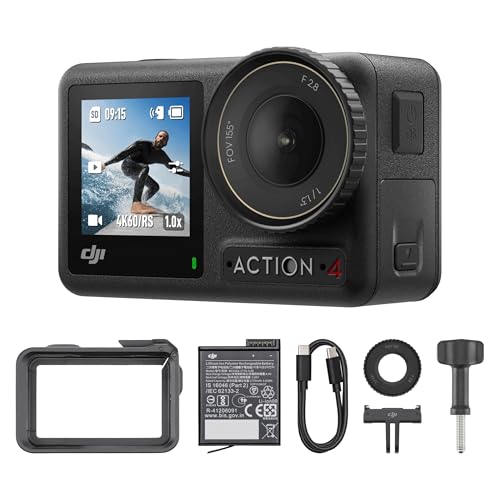
Action cameras or GoPros use totally different mounts. They often use adhesive anchors or special clips. Follow the maker’s guide for those.
No matter the camera, the rule is the same. Check the attachment points are solid before you trust the strap with your gear.
Safety Checks After You Attach Camera Strap
You’re not done after you clip it on. You need to do a safety check. This is the most important step.
First, do a visual check. Look at both connection points. Make sure the strap is threaded correctly and nothing is twisted.
Next, do the two-finger pull test. Hold the camera body with one hand. Use two fingers to pull firmly on the strap near the lug.
It should not slip or come loose. If it moves at all, you need to re-do that side.
Lift the camera by the strap for a second. Hold it over your soft bed or a couch. This tests the full weight on the attachments.
Check the split rings or quick-release clips for damage. Look for cracks, bends, or rust. The Consumer Product Safety Commission says to check gear often for wear.
Make this check a habit. Do it every time you pick up your camera to go out. It takes ten seconds and could save your camera.
When to Replace Your Strap or Its Parts
Straps don’t last forever. Fabric wears out, and metal can fatigue. Know the signs it’s time for a change.
Look for fraying on the fabric, especially near the lugs. Thin, worn threads are a big red flag. They can snap without warning.
Check the plastic adjusters or buckles. If they are cracked, they will fail. Plastic gets brittle with age and sun exposure.
The split rings can lose their spring. If they don’t close tightly, they can slip off the lug. Bent rings are also very weak.
For quick-release systems, check the spring in the clip. It should snap closed with authority. A weak spring means it might not lock.
If you see any of these signs, get a new strap. It’s a cheap part compared to your camera. Don’t risk it.
Learning how to attach camera strap includes knowing when the old one is no longer safe to use.
Frequently Asked Questions
How do I attach a camera strap to the lugs?
Use the small split rings that come with the strap. Hook a ring onto each metal lug on the camera. Then thread the strap end through the ring and back through its own loop to lock it.
Can I attach any strap to my camera?
Most straps use a standard split ring system that fits common lugs. But always check the weight rating. A tiny strap might not hold a big, heavy DSLR safely.
How tight should the strap attachment be?
It should be very secure with no slack. After you attach camera strap, pull on it firmly. The connection to the camera body should not wiggle or move at all.
My strap has plastic clips. Are they safe?
Good quality plastic clips from trusted brands are safe. They are tested for strength. But check them often for cracks, and never use a cracked clip.
How do I attach a wrist strap?
You usually attach it to just one lug on the camera, often the right side. Thread it like a neck strap, but the loop is sized for your hand, not your head.
What if my camera doesn’t have lugs?
Some very small cameras might not. You may need a special case or grip that adds a lug. Or you can use an adhesive anchor made for cameras, but follow the instructions carefully.
Conclusion
So, how to attach camera strap? It’s a simple skill that brings big peace of mind. A well-attached strap lets you focus on your photos, not your gear.
Start with the basic split ring method. Practice it a few times until it feels easy. Then, you can explore quick-release systems for more convenience.
Remember the safety check. Always give it a tug before you head out. Your camera is a valuable tool, and keeping it safe is job one.
Now you know the right way. Go attach that strap with confidence and get back to shooting.
Related Posts